This service is for legal vehicle owners to retrieve their lost radio code after battery reset. Misuse is strictly prohibited.

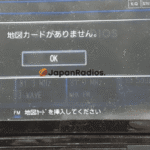
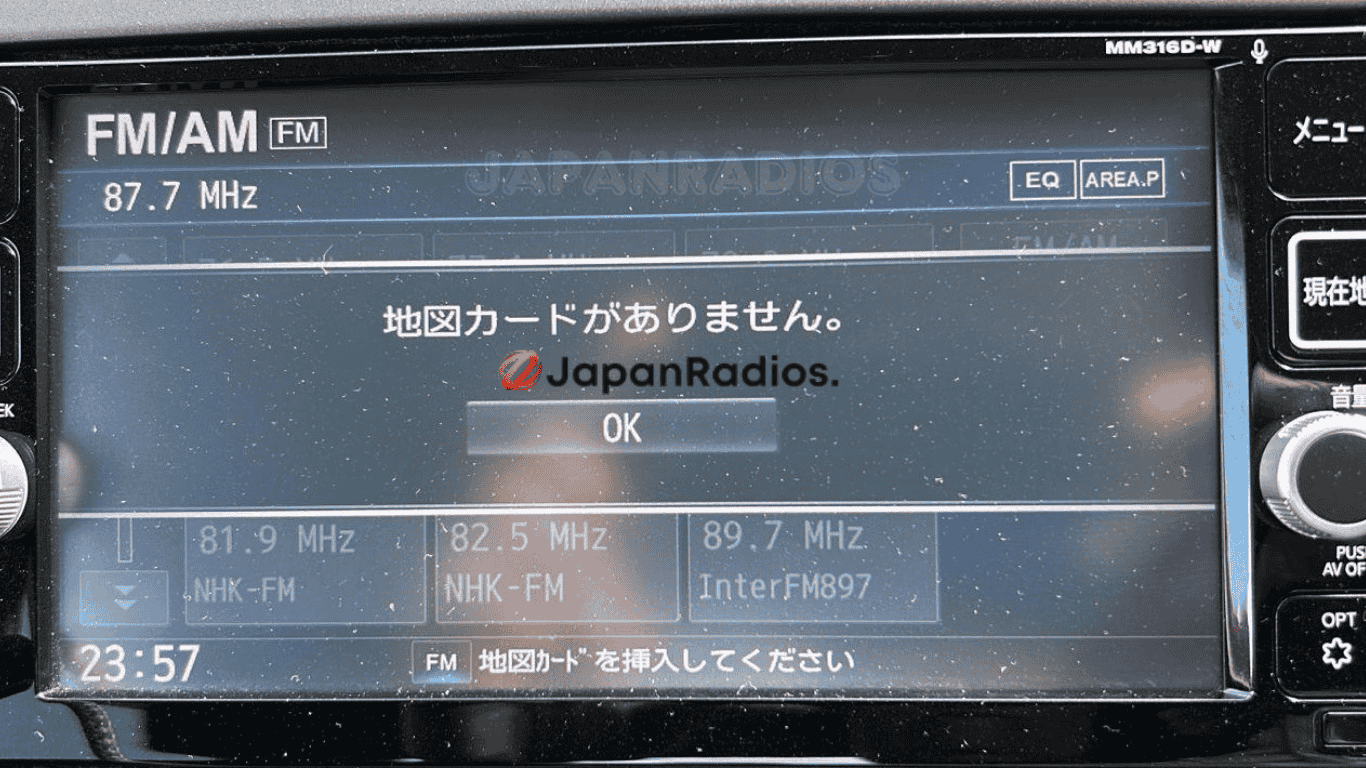

MM316D-W SD error fix for Nissan (JDM import)
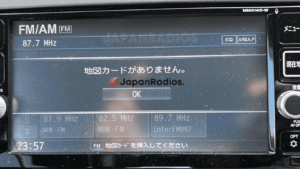
MM316D-W SD error fix is the quick, plug-and-play solution for Japanese-import Nissan vehicles showing “Please insert SD card” or “SD error” on MM316D-W head units.
Has your Nissan MM316D-W radio locked after export, battery change, or SD card loss? Our ready SD error fix card provides instant recovery—no dealer, no coding, no risk. Perfect for JDM Nissan vehicles equipped with the MM316D-W radio series.
Key Features & Supported Functions
-
MM316D-W SD error fix instantly clears SD card error messages and unlocks the built-in system
-
Plug-and-play for MM316D-W head units (no programming/coding required)
-
Restores all standard functions, including:
-
Bluetooth® (hands-free calling & music streaming)
-
FM/AM radio
-
USB/SD/WALKMAN audio, image & video playback
-
CD/DVD playback (if factory-installed)
-
AUX input, multimedia switching
-
Hands-free phone
-
-
Quick installation and global shipping
-
Professional and friendly customer support
Who It’s For
-
MM316D-W SD error fix for Japanese-import Nissan vehicles (not offered/supported in Japan)
-
Owners of exported Nissans with missing, faulty, or unreadable SD cards
How to Use
-
Turn off your vehicle and MM316D-W radio.
-
Insert the MM316D-W SD error fix card into the SD slot.
-
Power on—the SD error will clear and all system functions are restored.
What’s Included
-
MM316D-W SD error fix plug-and-play card
-
Quick install instructions
-
Expert customer support
Important:
MM316D-W SD error fix is for authentic Japanese import/export Nissan vehicles only. It clears SD errors and restores original Bluetooth, radio, and multimedia features. JDM unit language, radio bands, and regional specifications remain unchanged. No map update or region conversion is included.
Avoid costly hardware replacements and professional service fees. After a simple installation, your head unit will operate seamlessly.
This solution is compatible with a wide range of Nissan Panasonic MM series head units, including:
- MM11x Series: MM112-W, MM112D-W, MM113D-W, MM114D-W, MM115D-W, MM117D-DW
- MM22x Series: MM222D-L, MM222D-Le, MM223-L, MM223D-L, MM223D-Le
- MM31x / MM32x Series: MM312D-W, MM316D-W, MM316D-DW, MM317D-W, MM317D-DW, MM318D-L, MM318D-W, MM319D-L, MM319D-W, MM320D-L, MM320D-W, MM321D-L, MM322D-L, MM323D-L
- MM51x / MM52x Series: MM513D-L, MM514D-L, MM514D-W, MM515D-L, MM516D-L, MM516D-W, MM517D-L, MM517D-W, MM518D, MM518D-L, MM518D-W, MM519D, MM519D-L, MM520D-L, MM521D-L, MM522D-L, MM523D-L
- MME Series: MME15D-EV
MM316D-W SD Error Fix – FAQ
For Japanese Import Nissan Vehicles
1. What is the MM316D-W SD error fix?
It is a plug-and-play SD card designed specifically for JDM (Japanese Domestic Market) Nissan vehicles exported from Japan. It instantly clears the “Please insert SD card” or “SD error” message that appears after a battery change, vehicle export, or if the original SD card is lost or corrupted.
2. Do I need to do any coding or programming?
No. This is a zero-configuration solution. Simply turn off the vehicle, insert the card, and turn the vehicle on. The error clears automatically.
3. Will this change my radio from Japanese to EU/US bands?
No. This fix only clears the SD error and restores factory functions (Bluetooth, CD, USB, etc.). It does not convert the region or update the navigation maps.
4. Is this a map update?
No. This is a system recovery tool, not a map update. It unlocks the head unit’s standard features that were disabled due to the missing SD handshake.
5. What is included in the package?
-
1x Pre-loaded SD error fix card
-
1x Quick start instruction card
-
24×7 customer support from Japanradios
6. My car is a European or US spec Nissan. Will this work?
This product is strictly designed for Japanese Import (JDM) models equipped with the MM series radio. It is not intended for domestic EU/US models.
7. What functions are restored?
-
Bluetooth® Hands-free Calling & Music Streaming
-
FM/AM Radio
-
USB / SD / WALKMAN Audio/Video/Image playback
-
CD/DVD playback (if equipped)
-
AUX input
-
System settings menu
8. The list of compatible units is long. Is my unit really supported?
If your head unit is a Panasonic MM series (common in Nissan Skyline, Nissan Leaf, Nissan Cube, Nissan March, Nissan Serena, etc.), this card is very likely to work.
Compatible Series Includes:
-
MM11x Series: MM112-W, MM112D-W, MM113D-W, MM114D-W, MM115D-W, MM117D-DW
-
MM22x Series: MM222D-L, MM222D-Le, MM223-L, MM223D-L, MM223D-Le
-
MM31x / MM32x Series: MM312D-W, MM316D-W, MM316D-DW, MM317D-W, MM317D-DW, MM318D-L, MM318D-W, MM319D-L, MM319D-W, MM320D-L, MM320D-W, MM321D-L, MM322D-L, MM323D-L
-
MM51x / MM52x Series: MM513D-L, MM514D-L, MM514D-W, MM515D-L, MM516D-L, MM516D-W, MM517D-L, MM517D-W, MM518D, MM518D-L, MM518D-W, MM519D, MM519D-L, MM520D-L, MM521D-L, MM522D-L, MM523D-L
-
MME Series: MME15D-EV
8. Can I remove the SD card after the error is fixed?
We recommend leaving the card inserted at all times. The unit checks for this authentication data during startup. If you remove the card, the error may return.
10. My SD card slot is broken. Can I still use this?
This fix requires a functioning SD card slot. If the physical slot is damaged, you will need to repair the port first.
11. I have a different error (e.g., “HDD Error” or “AMP Error”). Will this fix it?
This card is specifically calibrated for SD card/Navigation authentication errors. It does not fix hard drive failures or amplifier disconnection errors.
opalsnowy –
MM316D-W SD Error Fix worked wonders for my Nissan Note it resolved the issue quickly and easily. I highly recommend Japan Radios for anyone needing a solution for this problem.