
Panasonic Map SD Card
What Is a Panasonic Map SD Card?
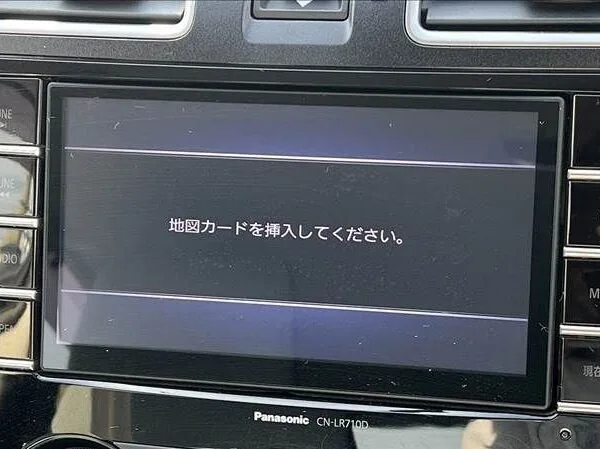
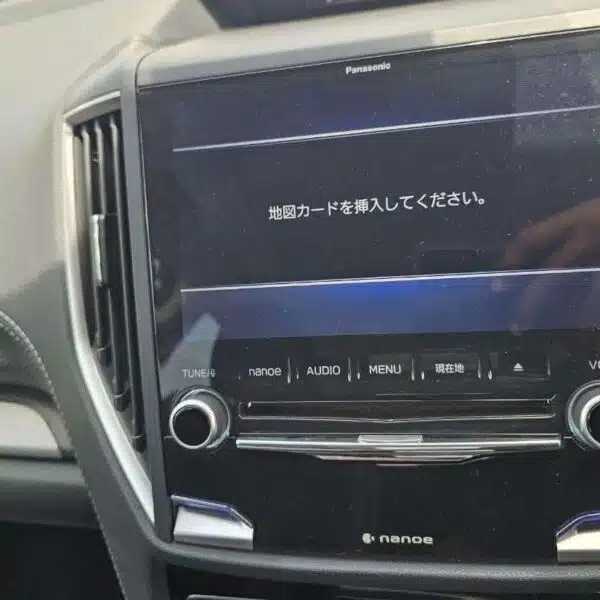
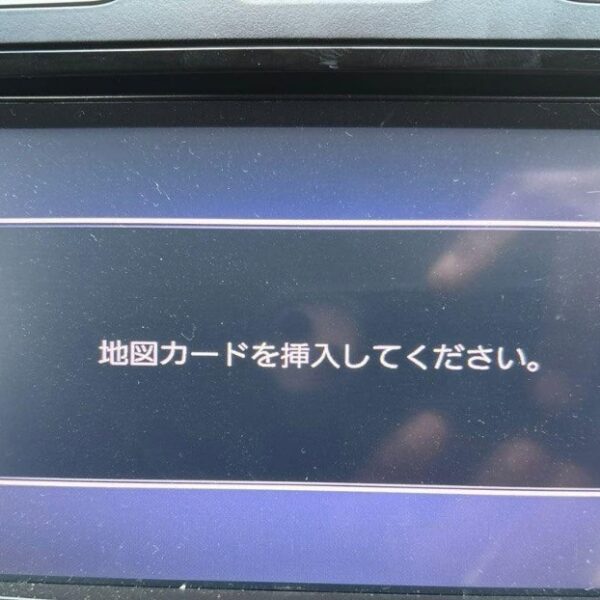
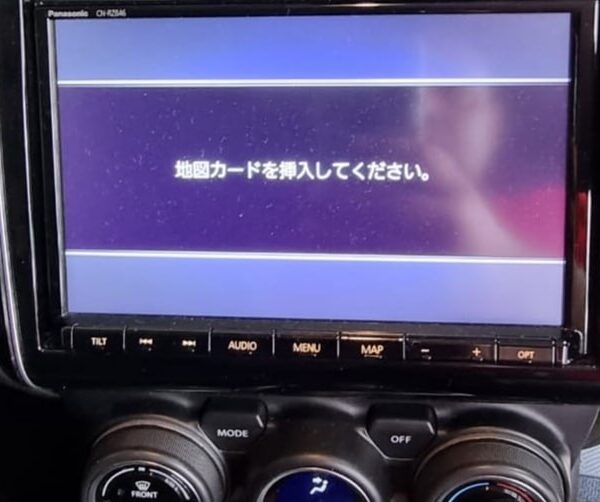
A Panasonic Map SD Card is a specialized boot storage medium containing the proprietary operating system firmware and navigation software necessary to boot Japanese-market Panasonic Strada and OEM dealer head units. When a Japanese import vehicle loses battery power or undergoes electrical maintenance, volatile memory is wiped. Without an authentic, hardware-matched map SD card inserted into the dedicated card slot, the system remains frozen on the Japanese boot error screen (“地図SDカードを挿入してください” / “Please insert correct map SD card”), completely disabling the touchscreen, reversing camera, Bluetooth calling, and radio playback.
“When inserting your verified Panasonic map SD card, keep the vehicle ignition in the ACC or ON position for 60 to 90 seconds without interruption while the system reads the boot firmware and reinitializes vehicle telematics.”
Why Does Your Panasonic Navigation Display an “Insert Correct Map SD Card” Error?
Japanese Domestic Market (JDM) Panasonic infotainment systems do not store full operating system kernels on onboard flash storage; instead, they load operating partitions directly from verified SD media upon every cold startup. Disconnecting the 12V vehicle battery or draining power causes the head unit to demand the original boot media to reinitialize system architecture.
Panasonic Strada & RX Series Map SD Cards are dedicated boot and recovery cards engineered for Panasonic Strada Japanese car navigation systems. If your Japanese imported vehicle displays error messages such as “Insert Correct Map SD Card”, “Map Data Missing”, or navigation reboot loops, inserting an authentic replacement card restores your factory navigation and multimedia functions. JapanRadios provides genuine Panasonic navigation SD cards, Strada map updates, and plug-and-play recovery solutions for Japanese import vehicles worldwide.
“Always ensure the motorized display has completed its eject cycle before inserting the map card into the dedicated MAP slot to protect internal pin connectors and prevent reading errors.”
Supported Panasonic Strada & OEM Navigation Systems
JapanRadios provides 100% guaranteed, hardware-verified map SD cards and instant digital boot setups across all major Panasonic aftermarket lines and Japanese automaker OEM platforms:
| Ecosystem / Platform | Vehicle / Production Years | Verified Supported Models & Genuine Part Numbers |
|---|---|---|
| Panasonic Strada F1 Series | 2016 – 2024 Floating Display Units |
2016: CN-F1D 2017: CN-F1XD, CN-F1SD 2018: CN-F1XVD, CN-F1DVD 2019: CN-F1X10BD, CN-F1X10D, CN-F1D9D 2020: CN-F1X10BLD, CN-F1X10LD, CN-F1D9VD 2021: CN-F1X10BHD, CN-F1X10HD, CN-F1D9HD 2022: CN-F1X10BGD, CN-F1X10GD, CN-F1D9GD 2024: CN-F1X10C1D, CN-F1D9C1D |
| Panasonic Strada Aftermarket | Universal 2DIN & 200mm Wide JDM Receivers |
R & RA Series: CN-R300D, CN-R300WD, CN-R330D, CN-R330WD, CN-R500D, CN-R500D1, CN-R500WD, CN-R500WD1, CN-RA03D, CN-RA03WD, CN-RA04D, CN-RA04WD, CN-RA05D, CN-RA05WD, CN-RA06D, CN-RA06WD, CN-RA07D, CN-RA07WD RE & RS Series: CN-RE03D, CN-RE03WD, CN-RE04D, CN-RE04WD, CN-RE05D, CN-RE05WD, CN-RE06D, CN-RE06WD, CN-RE07D, CN-RE07WD, CN-RS01D, CN-RS01WD, CN-RS02D, CN-RS02WD RX Series: CN-RX01D, CN-RX01WD, CN-RX02D, CN-RX02WD, CN-RX03D, CN-RX03WD, CN-RX04D, CN-RX04WD, CN-RX05D, CN-RX05WD, CN-RX06D, CN-RX06WD S Series: CN-S300D, CN-S300WD, CN-S310D, CN-S310WD |
| Suzuki OEM Dealer Options | Suzuki Hustler, Spacia, Jimny, Swift, Solio, Ignis |
CN-RZ / FZ / HZ / LS Series & Suzuki Genuine Part Numbers: • CN-S310WDZA (99000-79AC5), CN-S310DZA (99000-79AG0-W00), CN-R301WZA (99000-79AG0), CN-R301ZA (99000-79AP0-000) • CN-R302ZA (99000-79AP0-W00), CN-R302WZA (99000-79AW5-000), CN-RZ72ZA (99000-79AW5-W00), CN-RZ72WZA (99000-79AW8-000) • CN-RZ82ZA (99000-79BD0), CN-RZ83ZA (99000-79BD5-W00), CN-RZ73WZA (99000-79BD5), CN-RZ73ZA (99000-79BM0) • CN-RZ846ZA (99000-79BM1-W00), CN-RZ746WZA (99000-79BM1), CN-RZ746ZA (99000-79BM5) • CN-RZ843ZA (99000-79BM6-W00), CN-RZ743WZA (99000-79BM6), CN-RZ743ZA (99000-79CA8) • CN-RZ856ZA (99000-79CB1-W00), CN-RZ756WZA (99000-79CB5), CN-RZ853ZA (99000-79CB6-W00), CN-RZ753WZA (99000-79CE0) • CN-RZ1067ZA (99000-79CG0), CN-RZ866ZA (99000-79CG5-W00), CN-RZ766WZA (99000-79CH0), CN-RZ865ZA (99000-79CH5-W00), CN-RZ765WZA (99000-79Y70-001) • CN-LS710DZB (99000-79Y70), CN-LS710DZA (99090-53U23-P01), CN-FZ1087ZA (99090-53U24-P11), CN-FZ1097ZA (99090-83S22-P01) • CN-RZ1077ZA (99097-69T23-P03), CN-FZ786WZA (99097-69T24-P13), CN-FZ796WZA (99097-69T33-P05), CN-HZ785WZA (99097-69T34-P15), CN-HZ795WZA (99097-79R22-P03) • CN-RZ776WZA (99097-79R32-P05), CN-RZ775WZA (99098-53U23-P02), CN-FZ886ZA (99098-53U24-P12), CN-FZ896ZA (99098-53U33-P04), CN-HZ885ZA (99098-53U34-P14) • CN-HZ895ZA (99098-83S22-P02), CN-RZ876ZA (99098-83S32-P04), CN-RZ875ZA (9909B-53UW4-P03) • Drive Recorder & Accessory Units: CA-DRZ3DZA (99000-79CB0), CA-DRZ3TDZA (99000-79CF0), CA-DRZ4DZA (9909B-69T73-P02), CA-DRZ3TDZB (9909B-69T93-P01), CA-DRZ3DZB |
| Subaru OEM Dealer Options | Subaru Forester, Levorg, Impreza, XV, Legacy, Outback |
CN-LR & LX Series: CN-LR700DFA, CN-LR700DFB, CN-LR700DFC, CN-LR700DFE, CN-LR710DFA, CN-LR710DFB, CN-LR710DFC, CN-LR720DFA, CN-LR720DFB, CN-LR720DFC, CN-LR720DFD, CN-LR800DFA, CN-LR810DFA, CN-LR820DFA, CN-LR820DFC, CN-LR830DFA, CN-LR830DFB, CN-LR830DFC, CN-LR840DFD, CN-LR850DFC, CN-LX840DFA, CN-LX840DFB CN-FX / H / HW / S Series: CN-FX800DFD, CN-FX810DFC, CN-FX900DFA, CN-FX910DFA, CN-FX920DFC, CN-H500DFA, CN-H500WDFA, CN-H500WDFB, CN-H510WDFA, CN-HD9000DL-F, CN-HDS625TFA, CN-HDS700TFA, CN-HDS910D-F, CN-HDS915TFA, CN-HDS950M-F, CN-HDS955M-F, CN-HW1000DFA, CN-HW830DFA, CN-HW880DFA, CN-HW890DFA, CN-HX1000DFA, CN-L880LEDFA, CN-L880LEDFB, CN-MW200DFA, CN-MW250DFA, CN-R300DFA, CN-R300WDFA, CN-R500WDFA, CN-RS01DFA, CN-RS02DFA, CN-S300DFA, CN-S300WDFA, CN-S300WDFB, CN-S310DFA, CN-S310WDFA |
| Daihatsu OEM Dealer Options | Daihatsu Tanto, Move, Cast, Wake, Taft, Thor, Hijet |
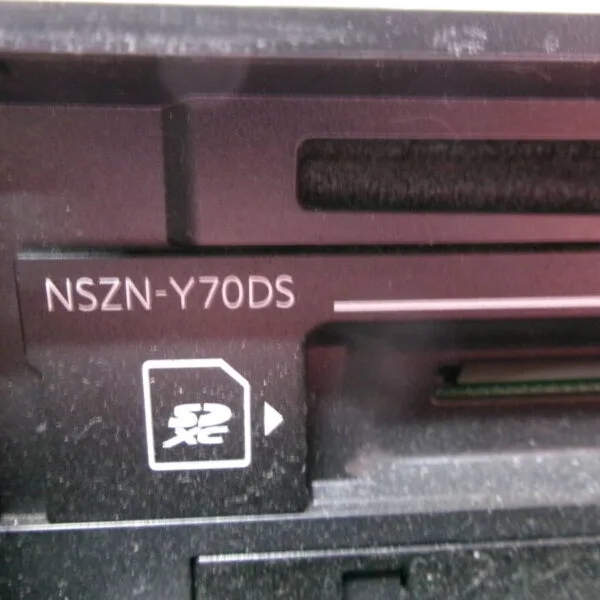
NMZN Series: NMZN-W72D, NMZN-W73D, NMZN-Y72DS, NMZN-Z72DS, NMZN-Z73DS NSZN Series: NSZN-W69D, NSZN-W70D, NSZN-W71D, NSZN-X69D, NSZN-X70D, NSZN-X71D, NSZN-Y69DS, NSZN-Y70DS, NSZN-Y71DS |
| Mitsubishi OEM Dealer Options | Mitsubishi Delica D:5, Outlander, Eclipse Cross, eK Space | CN-FZ1087ZA, CN-FZ1097ZA, CN-HDS945TBA, CN-HZ785WZA, CN-HZ795WZA, CN-HZ885ZA, CN-HZ895ZA, CN-RZ843ZA, CN-RZ853ZA |
How to Resolve Panasonic “Insert Correct Map SD Card” Boot Errors
- Locate Your Model Number: Check the front lower bezel, cassette door, or display frame (e.g. CN-RZ843, CN-RE07D, or CN-LR840D).
- Open the Dedicated SD Slot: Press the motorized “EJECT” or “OPEN” button to reveal the slot labeled MAP or MAP / SD (do not insert into music/SDHC slots).
- Insert the Verified Panasonic Map SD Card: Insert the card firmly until it clicks into place.
- Restart the Ignition: Switch vehicle ignition to ACC / ON. The system reads boot firmware and displays a progress bar.
- System Restored: Within 60–90 seconds, the main menu loads, restoring Bluetooth hands-free, backup camera, AM/FM radio, and steering wheel controls.
Need an Anti-Theft Security PIN or Radio Unlock Code?
If your Panasonic unit displays a 4-digit or 5-digit security code prompt (暗証番号を入力してください) after booting, JapanRadios provides instant 24/7 security code decoding via our Radio Unlock Code Service.
Showing 1–18 of 34 results
Panasonic Map SD Card Car Navigation & Infotainment Recovery Support
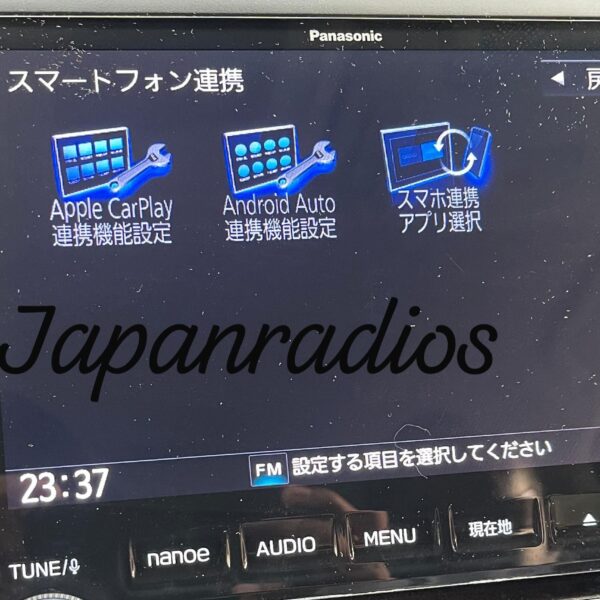
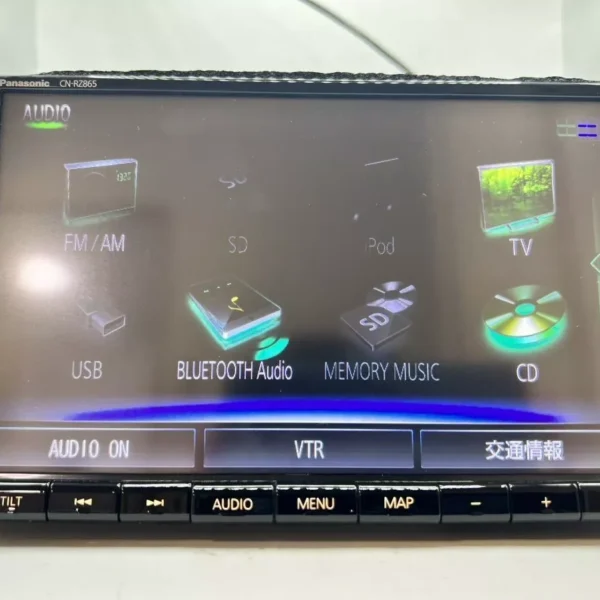
Struggling with missing map SD card warnings,暗証番号を入力してください security PIN prompts, or reboot loops in your Japanese import vehicle? JapanRadios supplies official ERC security code unlock services, bootable SD cards, and Japanese-to-English menu conversions across 54 target import markets. Restores default OEM touchscreen setup menus, Bluetooth calling (if available), reversing camera grid lines (if equipped), AM/FM audio, and Apple CarPlay / Android Auto retrofits (if supported). Contact our expert team via WhatsApp at https://wa.me/message/5ERJCHJVVYJ6H1 for an instant 0–10 min fix.