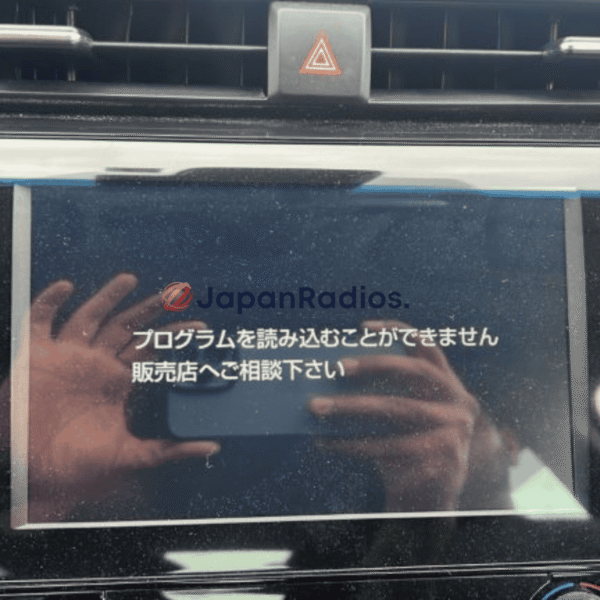
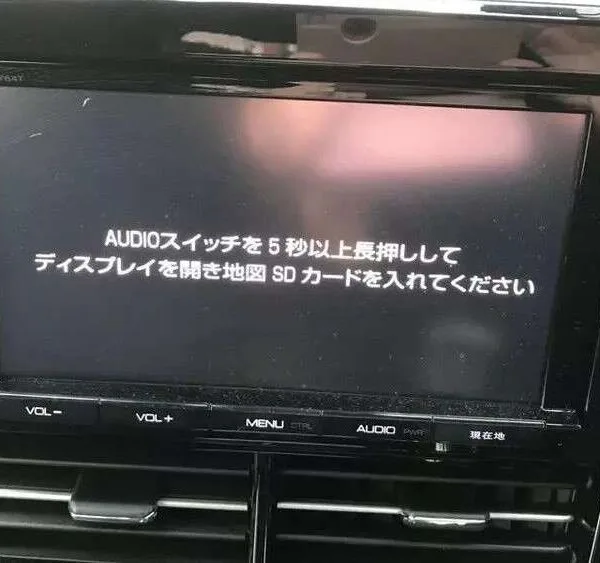
💬 Need Quick Compatibility Verification for Toyota NSZT-Y64T Map SD Card Error Ultimate Solution?
Send a photo of your locked radio screen or Japanese error message to our 24/7 WhatsApp support. We will confirm the exact solution and processing time instantly before you order.
Get Instant Price for Unlock Code & SD Card →What Japanese errors does the Toyota NSZT-Y64T Map SD Card Error Ultimate Solution resolve?
The Toyota NSZT-Y64T Map SD Card Error Ultimate Solution clears on-screen Japanese error messages such as 「地図ディスクを確認しています しばらくお待ち下さい」, 「ディスプレイを開き地図SDカードに入れてください」, 「プログラムを読み込むことができません」, 地図カードがありません。, and ファイルが見つかりません。SDカードをご確認ください。. It restores default OEM infotainment functions for JDM import vehicles in the UK, Australia, NZ, Ireland, Mauritius, Jamaica, Singapore, and 54 target countries.
Toyota NSZT-Y64T Map SD Card Error Ultimate Solution OEM Feature Restoration Matrix
| OEM Infotainment Parameter | Locked Error State | Restored via JapanRadios |
|---|---|---|
| Japanese Error Display | ❌ "地図SDカードを挿入してください" | ✅ Cleared / Full System Access |
| Bluetooth Calling & Audio | ❌ Settings Inaccessible | ✅ Restored (if available) |
| Reversing & 360° Camera Feed | ❌ Screen Frozen / Black | ✅ Active Guides (where equipped) |
| AM/FM Radio, CD/DVD & USB | ❌ Blocked Audio Output | ✅ Fully Active (if available) |
Toyota NSZT-Y64T map SD card error solution is the best way to fix the “Insert correct SD card” and map error messages.
With our tested SD card solution, you unlock all features—navigation, Bluetooth, FM, and USB—on your Japanese import Toyota.
This fix is compatible with all NSZT-Y64T radios and includes easy, step-by-step installation support.

Instantly fix Toyota NSZT-Y64T SD card error and unlock navigation, Bluetooth, FM, USB
Toyota NSZT-Y64T Map SD Card Error Solution — FAQ
Q: Is the Toyota NSZT-Y64T Map SD Card Error Solution compatible with all Toyota vehicles with NSZT-Y64T radio?
Yes, our Toyota NSZT-Y64T Map SD Card Error Solution is fully compatible with every Toyota model fitted with the NSZT-Y64T radio system.
Q: What do I get with the Toyota NSZT-Y64T Map SD Card Error Solution package?
You receive:
Micro SD Card pre-programmed to fix the Toyota NSZT-Y64T map SD card error
Media SD Card
Toyota NSZT-Y64T radio unlock code
Step-by-step installation instructions
24×7 technical support and password setup assistance
Q: Does it permanently fix the Toyota NSZT-Y64T map SD card error?
Yes, this Toyota NSZT-Y64T Map SD Card Error Solution is a permanent fix. Once installed, the map SD card error will not return.
Q: What Toyota NSZT-Y64T radio features are unlocked?
All Toyota NSZT-Y64T features are enabled, including:
Bluetooth connectivity
FM radio
USB functionality (USB cable optional and sold separately)
CD/DVD playback
Q: Can I get help installing my Toyota Map SD Card Error Solution?
Yes, our technical support team provides 24×7 guidance for Toyota NSZT-Y64T installation and will help you set up your own password.
Q: How do you ship Map SD Card Error Solution?
We ship the Toyota NSZT-Y64T solution using express courier services for fast delivery worldwide.
Q: Can I buy a USB cable for my Toyota radio?
Yes, USB cables for Toyota NSZT-Y64T are available for purchase separately.
Q: Is this a one-time solution for the Toyota map SD card error?
Absolutely. The Toyota NSZT-Y64T Map SD Card Error Solution is permanent and does not require repeat treatment.
Q: Will I receive my Toyota unlock code with my SD card order?
Yes, your unique Toyota NSZT-Y64T radio unlock code is included in every order.
Q: Does the Toyota Map SD Card Error Solution work for imported vehicles?
Yes, our solution works for all Toyota vehicles with NSZT-Y64T radios, including imported models from Japan.
Need another model? Browse our complete Toyota Map SD Card Unlocking & Diagnostic Hub or contact our 24/7 WhatsApp support to Get Instant Price for Unlock Code & SD Card →
Per official Toyota JDM navigation system documentation: when 12V vehicle battery power is interrupted or the map media is removed, the head unit clears volatile RAM and requires the model-matched boot program files on the Map SDHC card to initialize the operating system, touchscreen controls, Bluetooth, and camera feeds.— Source: Toyota JDM Navigation System Owner’s Manual & Technical Documentation
Related products
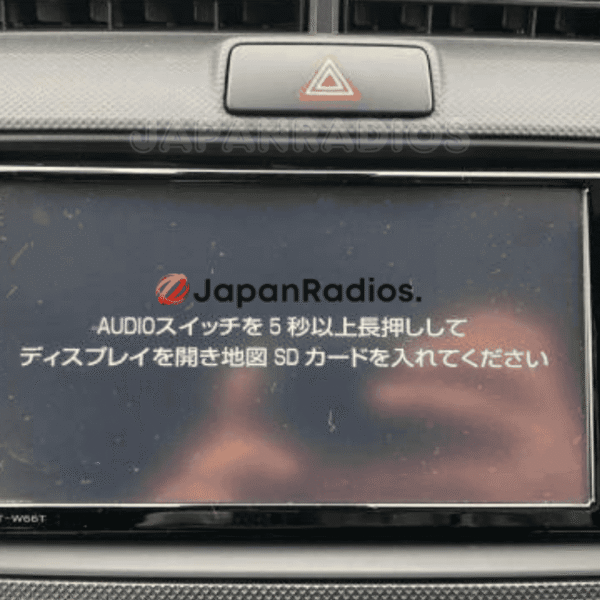
Toyota NSZT-W66T Map SD Card Error Solution | Permanent Unlock All Features: Bluetooth, FM, USB Fix
💬 Get Current Price via WhatsApp
Toyota NSZA-X64T Map SD Card Error Solution | Guaranteed & Expert Support
💬 Get Current Price via WhatsApp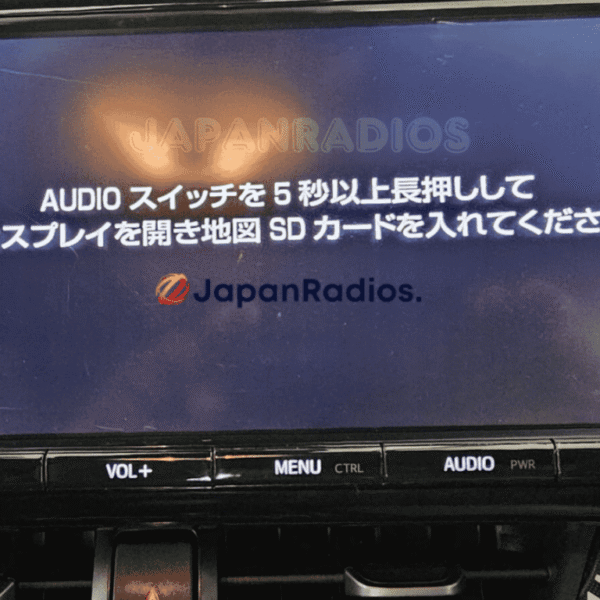
Toyota NSZT-Y66T Map SD Card Error Solution | Ultimate SD Error Fix, Bluetooth, FM, USB
💬 Get Current Price via WhatsApp
Toyota Prado B9129 Navigation SD Card Unlock English | Permanent SD Error Fix
💬 Get Current Price via WhatsApp