💬 Need Quick Compatibility Verification for Ultimate Panasonic CN-RZ1067 / CN-RZ1067ZA SD Card Fix for Suzuki JDM Radios?
Send a photo of your locked radio screen or Japanese error message to our 24/7 WhatsApp support. We will confirm the exact solution and processing time instantly before you order.
Get Instant Price for Unlock Code & SD Card →What Japanese errors does the Ultimate Panasonic CN-RZ1067 / CN-RZ1067ZA SD Card Fix for Suzuki JDM Radios resolve?
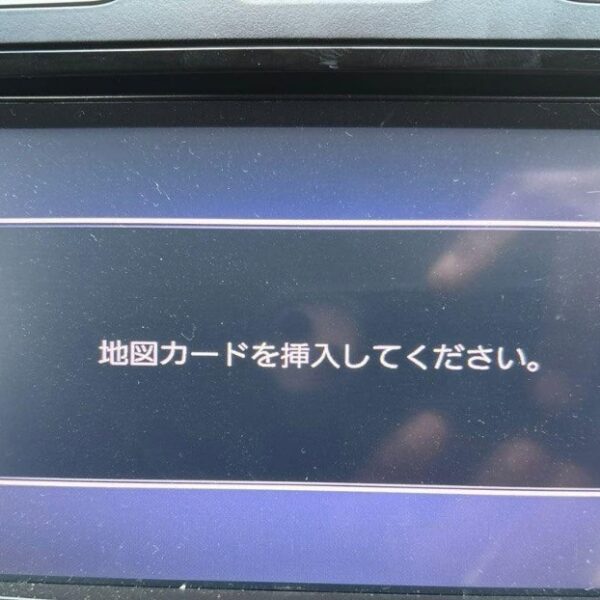
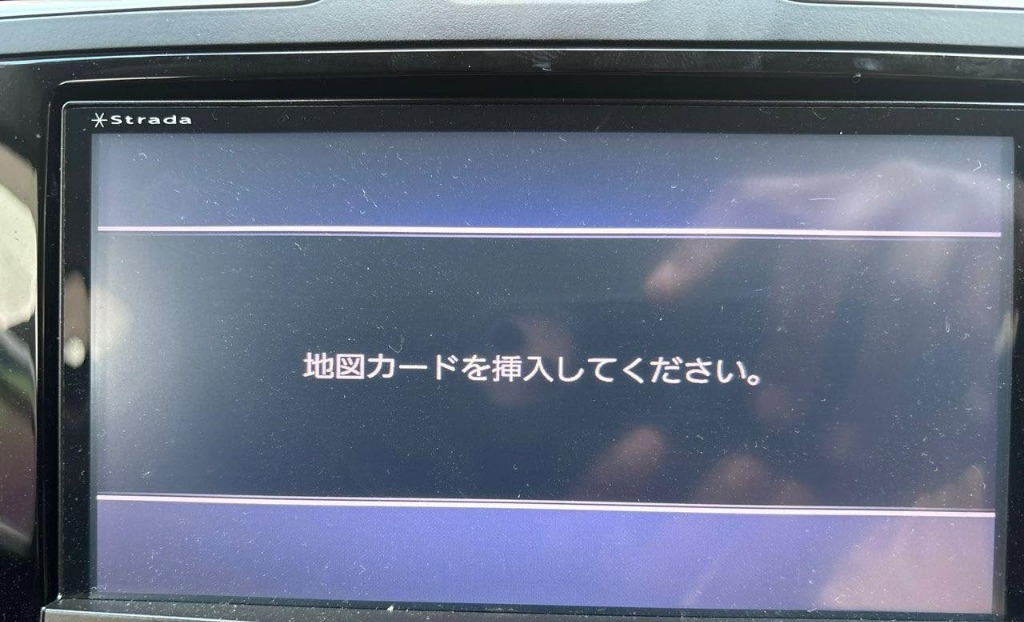
The Ultimate Panasonic CN-RZ1067 / CN-RZ1067ZA SD Card Fix for Suzuki JDM Radios clears on-screen Japanese error messages such as 「地図ディスクを確認しています しばらくお待ち下さい」, 「ディスプレイを開き地図SDカードに入れてください」, 「プログラムを読み込むことができません」, 地図カードがありません。, and ファイルが見つかりません。SDカードをご確認ください。. It restores default OEM infotainment functions for JDM import vehicles in the UK, Australia, NZ, Ireland, Mauritius, Jamaica, Singapore, and 54 target countries.
Ultimate Panasonic CN-RZ1067 / CN-RZ1067ZA SD Card Fix for Suzuki JDM Radios OEM Feature Restoration Matrix
| OEM Infotainment Parameter | Locked Error State | Restored via JapanRadios |
|---|---|---|
| Japanese Error Display | ❌ "地図SDカードを挿入してください" | ✅ Cleared / Full System Access |
| Bluetooth Calling & Audio | ❌ Settings Inaccessible | ✅ Restored (if available) |
| Reversing & 360° Camera Feed | ❌ Screen Frozen / Black | ✅ Active Guides (where equipped) |
| AM/FM Radio, CD/DVD & USB | ❌ Blocked Audio Output | ✅ Fully Active (if available) |
Panasonic Strada JDM Navigation Insert Map Card error display
Are you frustrated by errors on your Suzuki’s Panasonic radio?
Common messages like:
❗ Insert Map SD Card
❗ Check Map SD / Please Consult Dealer
❗ Correct Memory Card Required
Indicate your infotainment system is locked due to a missing or corrupted SD card — a frequent problem with Japanese-import Suzuki radios.
Why This Happens
The SD card holds essential system firmware, not just maps. Without it:
Radio won’t start
Bluetooth, FM/AM, DVD, and camera features fail
Screen freezes or shows errors
System becomes unresponsive
Usually caused by lost/damaged cards, battery changes, or system resets.
What You Receive from JapanRadios
📦 Genuine Panasonic SD card for CN-RZ1067 & CN-RZ1067ZA units
🌐 Fast global shipping
🧠 Expert support specializing in JDM radios
🔄 Plug-and-play — no tools or coding needed
Installation Steps
Insert the supplied SD card, wait for auto reboot, and enjoy full system restoration within minutes.
Benefits
✅ Fully compatible with Panasonic CN-RZ1067 & CN-RZ1067ZA
✅ Fixes “Insert Map SD Card” and firmware errors fast
✅ Restores Bluetooth, DVD, radio, backup camera functions
✅ Safe, reversible fix without dealer visit
✅ Saves time and money
Compatible Suzuki Models
Jimny (JDM)
Swift (JDM)
Vitara (JDM)
Alto (JDM)
Wagon R (JDM)
Please confirm your unit model before purchase.
FAQ
Q: Will this fix black or frozen screens?
A: Yes, it includes necessary firmware.
Q: Is installation easy?
A: Yes, just insert the card.
Q: Are local maps included?
A: No, it restores Japanese firmware only.
Why JapanRadios?
With 10,000+ radios restored worldwide, JapanRadios offers reliable OEM fixes at affordable prices.
Technical Unlocking & Compatibility Overview
The Ultimate Panasonic CN-RZ1067 / CN-RZ1067ZA SD Card Fix for Suzuki JDM Radios provides a 100% guaranteed, direct factory recovery solution for Japanese Domestic Market (JDM) infotainment systems. When Japanese vehicles undergo battery replacement, vehicle shipping, or maintenance, the head unit memory resets and locks out all multimedia features, requiring a genuine unlock code or specialized boot files.
Key Features & Benefits- Instant 24/7 Digital Delivery: Retrieve your security unlock password or software recovery files quickly without visiting a dealership.
- Complete System Restoration: Fully reactivates FM/AM radio frequencies, Bluetooth pairing, hands-free calling, reverse camera overlays, and touchscreen navigation.
- Zero Hardware Modification: Plug-and-play solution. Does not require wiring alterations, soldering, or removal of dashboard components.
- Worldwide Compatibility: Works globally for imported Japanese vehicles in New Zealand, Jamaica, United Kingdom, Australia, Kenya, Malta, and beyond.
Step-by-Step Instructions- Locate your unit’s model number or Electronic Radio Code (ERC) / Serial Number on the locked screen prompt.
- Submit your details during order checkout or send a screen photo directly via WhatsApp support for instant verification.
- Receive your custom 8-digit unlock code or bootable media instructions and restore full access to your Japanese car stereo in under 5 minutes.
- Locate your unit’s model number or Electronic Radio Code (ERC) / Serial Number on the locked screen prompt.
- Submit your details during order checkout or send a screen photo directly via WhatsApp support for instant verification.
- Receive your custom 8-digit unlock code or bootable media instructions and restore full access to your Japanese car stereo in under 5 minutes.
Need another model? Browse our complete Map SD Card Unlocking & Diagnostic Hub or contact our 24/7 WhatsApp support to Get Instant Price for Unlock Code & SD Card →