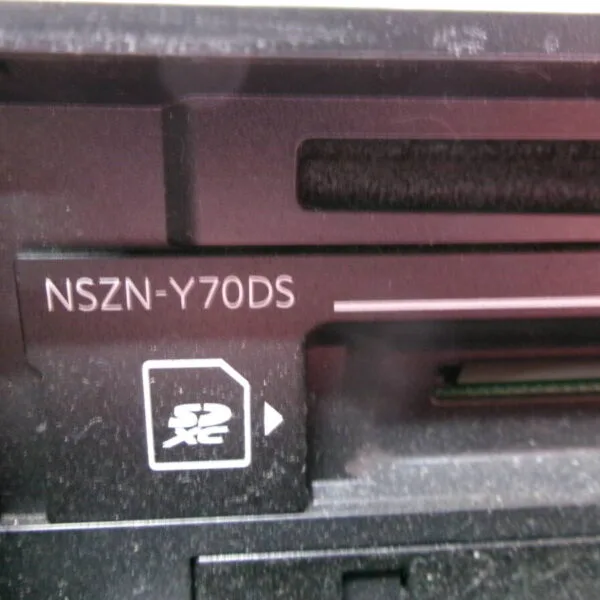
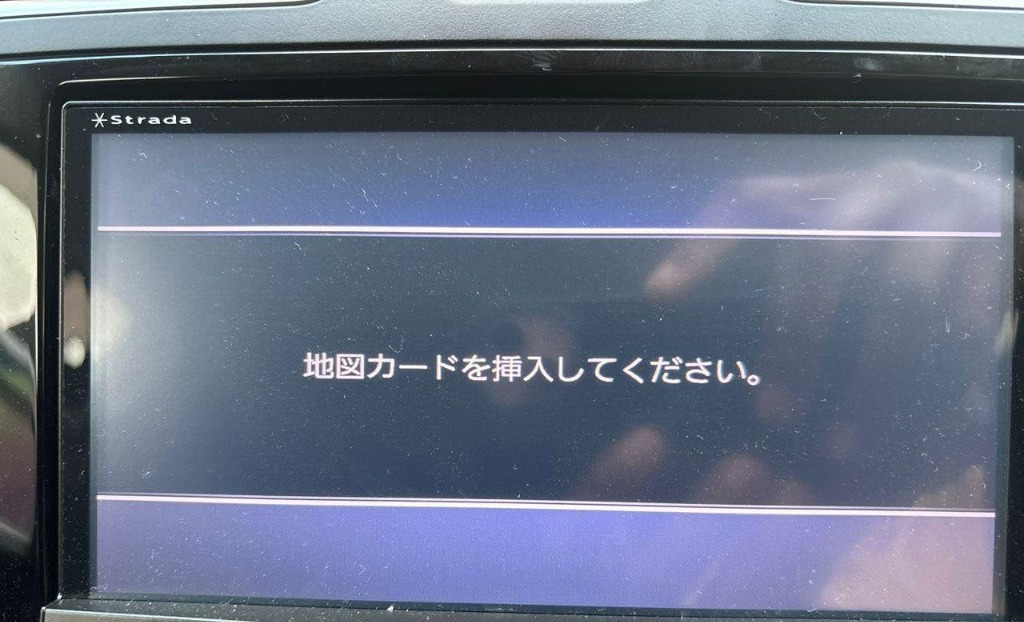
MAP / 地図SD slot and turn ignition to ACC. Within 60 seconds, “プログラムを読込中です。電源を切らないでください” completes—restoring Bluetooth audio, FM/AM radio, Apple CarPlay / DVD playback, and reverse camera guidelines on Subaru Impreza (GP/GJ), Subaru XV (GP7), Forester (SJ5), Levorg (VM4/VMG), Legacy / Outback (BS9/BN9). Need instant verification? Message us on WhatsApp.Panasonic Strada JDM Navigation Insert Map Card error display
🚨 Panasonic CN-LR810D “Insert Map SD Card” Error? Don’t Worry – We’ve Got the Fix!
If your Japanese import Subaru radio is stuck showing one of these errors:
❗ Insert Map SD Card
❗ Check Map SD / Please Consult Dealer
❗ Correct Memory Card Required
…it means your Panasonic CN-LR810D unit is locked due to a missing Map SD card — a common issue with JDM vehicles imported without their original media systems.
🔧 Why This Happens
Your Panasonic CN-LR810D uses the SD card not just for maps, but also to load the essential system firmware. Without it:
Radio stays frozen or blank
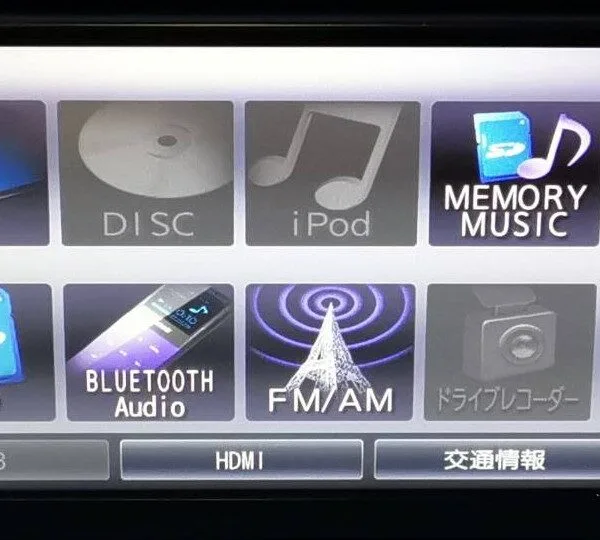
Bluetooth, FM/AM, DVD, and backup camera features stop working
Touchscreen becomes unresponsive
You may see repeated error prompts
This often happens when:
The original SD card is missing
The battery was disconnected or replaced
The head unit was reset, changed, or reinstalled
✅ What You’ll Get from JapanRadios
📦 Original Panasonic CN-LR810D Map SD Card preloaded with required firmware
🌐 Worldwide shipping available
🧠 Expert JDM radio support
🔄 Plug-and-play solution – No tools, no coding required
✅ How to Install
Insert the provided SD card into your CN-LR810D’s SD card slot
The system will automatically detect and reboot
Within minutes, your Subaru radio is fully functional again
⭐ Key Benefits
✅ Restores all factory features: FM, Bluetooth, DVD, Reverse Camera
✅ Fixes “Insert Map SD Card” or system lock errors
✅ Compatible with Subaru models equipped with CN-LR810D
✅ 100% safe and reversible – no dealer visit required
✅ Saves time, money, and frustration
🚗 Compatible Subaru Models (with CN-LR810D Unit)
This SD card fix supports Subaru JDM imports such as:
Subaru Forester
Subaru Levorg
Subaru Impreza
Subaru XV / Crosstrek
Subaru WRX / STI
Subaru Outback
Subaru Legacy
Subaru BRZ
📌 Note: Always confirm your head unit is CN-LR810D before ordering.
❓ Frequently Asked Questions (FAQ)
Q: Will this fix the black/frozen screen on my CN-LR810D?
✅ Yes, this SD card contains the firmware needed to restore the system.
Q: Does this include local or international maps?
⚠️ No – it contains only the original Japan maps. This product is meant to restore radio functionality, not provide navigation for regions outside Japan.
Q: Do I need tools or technical knowledge to install?
✅ No – just insert the card and the unit auto-restores.
🔒 Why Choose JapanRadios?
With over 10,000 successful JDM radio fixes, JapanRadios is the go-to source for restoring locked Panasonic head units in Japanese imports. We provide fast shipping, verified compatibility, and expert support—without the dealership markup.
Video Guide: How to Load Your CN-LR810D Map SD Card & Fix 地図SDカードを挿入してください
Frequently Asked Questions (CN-LR810D Map SD Card)
1. Which OEM SD card part number fits CN-LR810D?
The genuine Panasonic Strada / OEM map & program SD series for CN-LR810D is YESSZ14780 / YESSZ15820 (Subaru G-Book CA-SDL15BD–24BD).
2. Does this SD card unlock Bluetooth, FM radio, and reverse camera after a dead battery?
Yes. Loading the CN-LR810D boot PRIVATE and SD_BIND files clears the 地図SDカードを挿入してください screen and immediately restores Bluetooth pairing, FM/AM/CD/DVD audio, and reverse camera lines.
3. Can I download the digital SD card files today or order a physical card?
Standard Strada & Daihatsu/Suzuki/Subaru units support instant digital ZIP download onto a 16GB/32GB FAT32 SDHC card, plus DHL/FedEx physical SD card shipping worldwide via WhatsApp.
Menus stuck in Japanese? Check Panasonic Strada Japanese-to-English Language Conversion (38+ Models) →
Related products

Unlock NSZN-W71D Toyota & Daihatsu Radio: SD Card Fix for Bluetooth, FM, CD & DVD
💬 Get Current Price via WhatsApp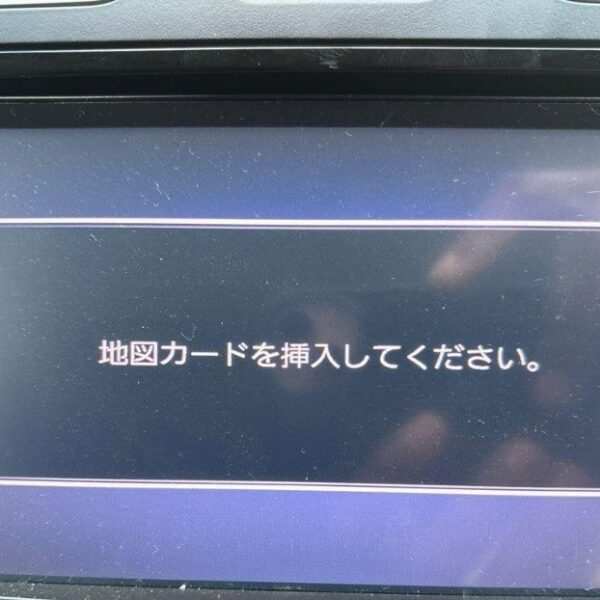
Subaru Panasonic NSZN-X69D / CN-LR840D (LR840DFS/DFT/DFU) Map SD Card
💬 Get Current Price via WhatsApp Daihatsu Panasonic NSZN-X68D Map SD Card (08675-K9207) — Boot Error Fix
💬 Get Current Price via WhatsApp Daihatsu Panasonic NSZN-X69D Map SD Card — Boot & Firmware Recovery
💬 Get Current Price via WhatsApp