
Direct Answer: Bridging the 2016 V-series and 2020 NX series, the 9-inch Z-generation (X9Z, X9ZA, X9ZD) appears widely in 2017–2019 JDM exports such as Toyota Harrier 60, C-HR, Prius 50, Voxy 80, and Nissan Serena C27. Send a clear photo of your locked display and front bezel model stamp on WhatsApp first so we confirm PIN unlock vs. Map SD eligibility and quote your exact total before you pay.
9-Inch Z-Generation Modular Big X — Compatibility & Model Coverage
| Specification | Verified Coverage |
|---|---|
| Display Class | 9-Inch Z-Generation Modular Big X |
| Production Years | 2017–2019 (Z-Generation) |
| Included Sub-Models | X9Z, X9ZA, X9ZD |
| Compatible JDM Vehicles | Toyota Harrier ZSU60, C-HR, Prius ZVW50, Noah/Voxy 80, Nissan Serena C27 |
| Typical Lock Prompts | CODE IN / 暗証番号を入力してください / パスワードを入力してください |
Series Architecture & Decoding Notes
X9ZA and X9ZD represent Alpine package variations (standard antenna vs digital/vehicle kit bundles) built around the same X9Z 9-inch core. Send both the locked prompt photo and lower bezel engraving when messaging.
PIN Lock vs. Map SD Diagnostic: On X9Z units showing a boot failure instead of a PIN pad, check the microSD/SD cover status before assuming a security code is needed. Compare with Alpine Big X Map SD Card Recovery →
4-Step Screen Verification Workflow
- Photograph your locked screen showing the Japanese prompt or
CODE INmessage plus the lower-bezel model letters. - Message the photo to JapanRadios WhatsApp for free PIN-vs-SD verification and a complete price quote.
- Approve the verified service only once compatibility (and serial sticker requirement, if any) is confirmed.
- Enter your confirmed unlock code cleanly using our guided step instructions.
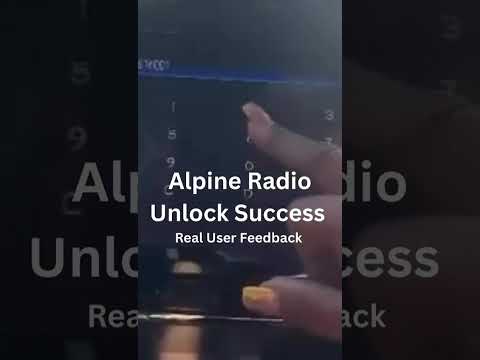
Real 9-Inch Z-Generation Modular Big X Unlock Proof & Customer Feedback
Watch genuine customer unlock feedback and Big X walkthrough clips from our official @japanradios YouTube channel (click any card to load the player).

Related Alpine Hub & Vehicle Guides
- See Harrier, C-HR & Prius Alpine Unlock Steps
- Browse All 20 Alpine Big X & VIE Series Hubs →
- Alpine Japanese Lock Screen & CODE IN Error Dictionary
Frequently Asked Questions
What do the A and D suffixes mean on X9ZA and X9ZD?
They denote regional kit/antenna and tuner configurations of the 9-inch X9Z hardware platform; both follow the X9Z security unlock process.
Can I clear an X9Z lock screen by holding menu buttons alone?
No button combination erases an active Alpine anti-theft password on X9Z—a valid security code for your specific unit is required.
Will unlocking affect FM frequencies or reverse guidelines?
All factory hardware functions (camera overlay, Bluetooth audio, amplifier output) return cleanly as configured once unlocked.
What should I avoid doing while locked?
Avoid disconnecting battery terminals repeatedly or guessing random codes—send a crisp screen photo on WhatsApp first.